Latest version available
vq8 Download the App — Get the Best Gaming Experience on Android, iOS & Browser
Vq8 is now on your smartphone. Sports Betting, slots, fish games — enjoy it all in one app, anywhere and anytime.

Vq8 is now on your smartphone. Sports Betting, slots, fish games — enjoy it all in one app, anywhere and anytime.
Vq8 is available on all platforms — Android, iOS, and web browser
Install directly on any Android phone — Samsung, Xiaomi, Realme, Oppo, and more. The APK file is only 45 MB.
Fully optimized for iPhone and iPad users. Install from the App Store in just a few seconds.
Play vq8 straight from your browser without installing anything. Works on Chrome, Firefox, and Safari.

Install the vq8 app on your Android phone in just a few steps. Follow the guide below:
Click the "Download APK" button above. The file will be saved to your phone's Downloads folder.
Go to Settings → Security → and enable "Unknown Sources" or "Install Unknown Apps". You only need to do this once.
Tap the vq8 APK file in your Downloads folder and press "Install". The installation will be done within 30 seconds.
Open the app, log in to your existing account or create a new one. You will receive a special bonus on your first login.
Why Millions of Bangladeshi Gamers Choose the vq8 App
Opens in 2 seconds. Enjoy lag-free gaming even on a weak network.
Your data and funds are fully protected with SSL encryption and advanced security measures.
Works smoothly on any old or new Android or iOS device. Just 2GB of RAM is all you need.
Get bonus offers, live match alerts, and win notifications delivered straight to your phone.
Deposit and withdraw via Mobile Banking, Nagad, and Rocket directly from the app.
Eye-friendly dark theme — play for hours at night without any eye strain.
Online gaming has grown hugely popular in Bangladesh, yet most platforms are not built with Bangladeshi users in mind. vq8 is different. This app was designed from the ground up for people in Bangladesh — with the Bangla language, local payment methods, and the games Bangladeshi users love.
The vq8 app offers live betting on popular sports like cricket, football, and kabaddi. Check real-time odds mid-match, place your bets, and enjoy the thrill of every moment. You'll also find hundreds of slots, fish hunting, bingo, and Live Casino.
One of the app's biggest strengths is that it performs well even on low data. vq8 works just as effectively for users outside Dhaka where the network can sometimes be weak. The app automatically detects network quality and adjusts video quality accordingly — so there is less buffering.
We know many users are concerned about mobile storage. The vq8 app is only 45 MB — lightweight enough to run smoothly on any mid-range phone. After installation, the app updates automatically, so you never need to download a new version manually.
Only download the vq8 APK from our official site. APK files from third-party sources are not safe and could put your device and data at risk.

Check If Your Device Is Ready to Run the vq8 App
| Subject | Minimum | Recommended |
|---|---|---|
| OS Version | Android 6.0 | Android 10+ |
| RAM | 2 GB | 4 GB+ |
| Storage | 100 MB | 500 MB+ |
| Internet | 3G | 4G/WiFi |
| Processor | Quad-core | Octa-core+ |
| Subject | Minimum | Recommended |
|---|---|---|
| OS Version | IOS 13.0 | IOS 16+ |
| Device | IPhone 8 | IPhone 12+ |
| Storage | 120 MB | 500 MB+ |
| Internet | 3G | 4G/WiFi |
| IPad Support | IPadOS 13 | IPadOS 16+ |
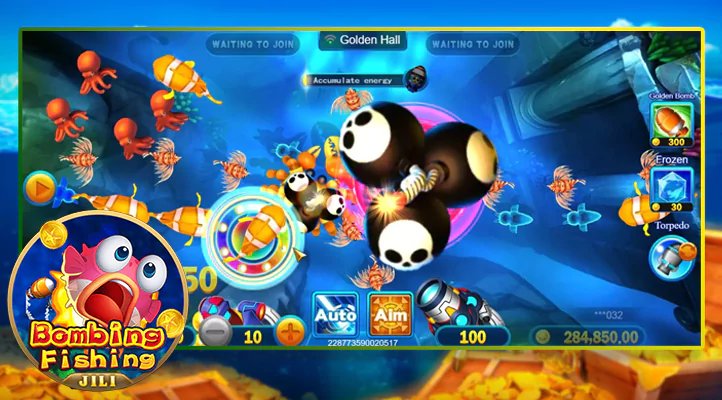
Many people hesitate when downloading the vq8 app for the first time — especially those who have never installed an app outside the Google Play Store or App Store. In reality, it is not complicated at all. We have laid out the entire process here in simple, straightforward steps.
First things first — the vq8 APK file is completely safe. Before downloading, you will need to enable "Unknown Sources" or "Install Unknown Apps" in your phone's Settings. This warning may seem alarming, but it is perfectly normal — Google displays it by default for any app installed outside its ecosystem. You can turn that setting back off once the installation is complete.
The process is even simpler for iOS users. Install directly from the App Store — no extra settings required. Log in quickly with Face ID or Touch ID and start playing.
Once installed, the vq8 app updates itself automatically. Whenever new games, promotions, or features are added, the app will update on its own — no action needed on your end.
The vq8 app works great even on phones with limited storage. At just 45 MB, you get access to the full platform. Game images and videos are streamed, so no extra storage is used on your device.
The vq8 app is also very data-friendly. Watching live sports uses an average of 30–50 MB per hour. Slots and fish games use even less. On WiFi, there's nothing to worry about at all.
The vq8 app also features multi-account switching for users managing more than one account, plus 24/7 live chat support built right into the app — no need to open a separate app or browser.
Frequently Asked Questions About the vq8 App Download
Join the platform trusted by millions of Bangladeshi gamers. Register now and claim your special welcome bonus on your first deposit.